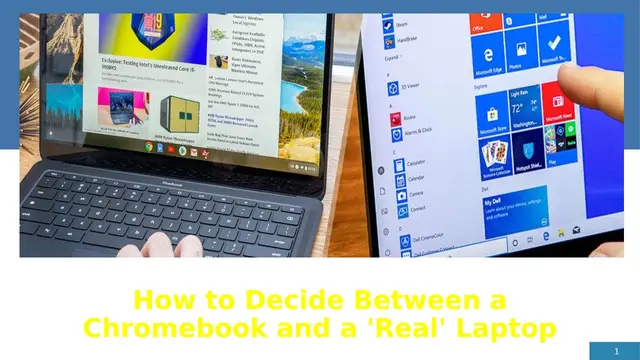
How to Decide Between a Chromebook and a 'Real' Laptop
PPTXAbout this presentation
Stuck choosing between a Chromebook and a 'real' laptop? Let's break down the pros and cons to help you make the perfect choice for your needs!
- Category
- Computers & Mobile
- Uploaded
- Format
- PPTX
Transcript
Open full transcript
How to Decide Between a Chromebook and a 'Real' Laptop 1 Introduction: A Chromebook or a conventional laptop should be chosen based on your unique requirements and use cases. Definition: A laptop running ChromeOS that has been simplified is called a Chromebook. Source: tomsguide.Com 2 Functionality: For tasks and apps, it mostly uses the internet. Apps: To download most apps, use the Google Play Store. Simple Computer Tasks: You are able to use Google's free office applications, compose documents, and browse SOURCE: wsj.com the internet. 3 Chromebooks Benefits: Economical: Generally significantly less expensive than conventional laptops. Ease of use: Chrome OS, an intuitive operating system that prioritizes web browsing and cloud-based apps, powers this system. Security: Because Chrome OS is more streamlined, it is SOURCE : blogspot.com generally thought to be less susceptible to 4 viruses and malware. Speed and Battery Life: Because the operating system is lighter than that of traditional laptops, these devices frequently boot up faster and have longer battery lives. Automatic Updates: To guarantee you always have the newest security features, updates are SOURCE: liliputing.com carried out automatically in the background. 5 Limited Functionality: Reliant on internet connectivity for most tasks. Offline functionality is limited compared to traditional laptops. Software Compatibility: Can't run traditional Windows or Mac software. Relies on web-based apps or Android apps (available on some Chromebooks). SOURCE: poliqon.az Storage: 6 Typically have lower storage capacity than traditional laptops. Files are stored primarily on the cloud. Conventional Laptops Advantages: Versatility: Offers greater software compatibility and runs a larger range of operating systems, including Windows, macOS, and Linux. Offline Functionality: Complete access to installed software and files, allowing for effective SOURCE: store.acer..com operation even in the absence of an internet 7 connection. Storage: In general, provide greater local file storage capacity than Chromebooks. Processing Power: Capable of handling more demanding tasks like gaming and video editing, these systems typically have stronger SOURCE: processors and graphics businessinsider.com cards. 8 Disadvantages: Cost: Generally speaking, more costly than Chromebooks. Complexity: Non-techies may find it more difficult to navigate operating systems like Windows or macOS. Security: If security software is not used properly, it may be SOURCE: tekclue.com more susceptible to viruses and malware. 9 Updates: Workflow may occasionally be interrupted by updates, which may need to be manually installed. Battery Life: Although it varies, battery life frequently falls short of Chromebooks' longer lifespan. Which one then should I pick? Your budget is limited. SOURCE: indiamart.com Your laptop is mostly used for email, web browsing, 1 and light office work. 0 Long battery life, security, and simplicity are things you value. You feel at ease keeping your files mostly on cloud storage. Select a conventional laptop if: Certain software applications (Macintosh or Windows) that aren't offered as web apps or Android apps must be used. For files and applications, you require a large amount of local storage space. You work in graphic design, video editing, and other high-demanding fields that need more processing power. SOURCE: incredible.co.za For offline use in situation1s where internet 1 connectivity may be spotty, you require a laptop. Conclusion: In summary, Chromebooks are ideal for daily chores and web-based work because of their excellent security, usability, and affordability. Conventional laptops are designed for users with more demanding workloads or broader software needs, as they provide greater power, versatility, and offline functionality. SOURCE: pricepulse.com To make the best decision1, take your needs, spending2 limit, and intended usage of the device into account!
Comments
View comments
Add a comment