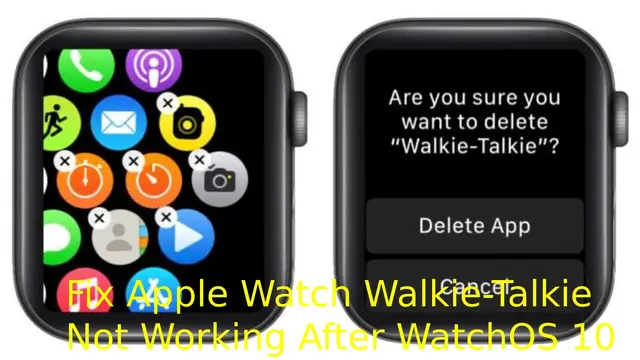
Fix Apple Watch Walkie-Talkie Not Working After WatchOS 10 Update
PPTXAbout this presentation
Struggling with Walkie-Talkie on your Apple Watch post-WatchOS 10 update? We've got the fixes to get you back on air! Stay tuned for the solutions.
- Category
- Technology
- Uploaded
- Format
- PPTX
Transcript
Open full transcript
Fix Apple Watch Walkie-Talkie Not Working After WatchOS 10 Update Introduction After updating to watchOS 10, if the walkie-talkie feature on your Apple Watch isn't working, you can try the following troubleshooting steps to see if they resolve the problem. Source: Igeekblog.com Check for Software Updates: Verify that the most recent watchOS version is installed on your Apple Watch by checking for software updates. Update it to the most recent version if it isn't already. These kinds of problems can occasionally be fixed by software updates that contain bug fixes. Source: lamanzanamordida.net Assure Appropriate Communication: Verify that your iPhone and Apple Watch are linked to one another. They need to be Bluetooth paired and linked. Verify that a reliable internet connection is available to both devices, whether via cellular data or Wi-Fi. Source: coolwearable.com Turn both devices back on: Holding down the side button will restart your Apple Watch by causing the power off slider to show up. After that, to turn off the watch, drag the slider. To turn it back on, press and hold the side button once more until the Apple logo shows up. Turning your iPhone off and back on will restart it. Source: macobserver.com Verify the walkie talkie's settings: Navigate to the Walkie-Talkie app on your Apple Watch. Make sure your Apple ID is logged in and that Walkie- Talkie is enabled. Verify that you have your status set to available. Toggle it to available if it's currently set to unavailable. Source: insiderpaper.com Verify the iPhone's settings: Slide open the Watch app on your iPhone. Navigate to the My Watch tab, then select Walkie- Talkie by swiping down. Verify that your Apple ID is signed in and that Walkie-Talkie is enabled. Verify that the Walkie- Talkie app's notifications are enabled. Source: gizmochina.com Reset the walkie-talkie: Open the Apple Watch app called Walkie-Talkie. Swipe left on the contact you're having problems with, then click the "X" button to remove it. After deleting the contact, read it, and then try talking on the walkie- talkie again. Source: appleinsider.com Check for Restrictions: On your iPhone, go to Settings > Screen Time > Content & Privacy Restrictions. Make sure that the permitted apps have not blocked the walkie-talkie. Source: ithinkdiff.com Contact Apple Support here: If the issue is not resolved by trying any of the aforementioned fixes, try getting in touch with Apple Support. They might be able to provide additional troubleshooting guidance or determine whether a hardware or software issue needs to be fixed. Source: techhindustantimes.com Conclusion: You should be able to troubleshoot and possibly fix the Apple Watch Walkie-Talkie feature not working after updating to watchOS 10 by following these steps. Source: howtogeek.com
Comments
View comments
Add a comment